Single-Node CyberSec Lab Design
Table of contents
Why I Built This
I didn’t start in security. I was a software engineer at a fintech SaaS company who apparently could not hide the keen interest in security well enough. Leadership noticed and gave me the opportunity to transition into an IT Security and Compliance Analyst role.
What followed was not what most people picture when they hear compliance. Finding cross-tenant BOLA vulnerabilities on internal pentests, driving SOC 2 Type 1 and Type 2 from zero through audit, deploying security gates into CI/CD. Threat actors love anything that involves money, so incident response came with the territory too. The kind of work that lives somewhere between engineering and security operations.
That experience made one thing clear: compliance and hands-on detection are different muscles. I know the frameworks. Now I want to keep building the operational intuition that only comes from running attacks and detecting them yourself.
That’s what this lab is for. Better to misconfigure a firewall rule at midnight in your own lab than on the job. :p
This post documents the architecture, the constraints that shaped it, and the reasoning behind each decision. The design will evolve, I expect it to, but this is the foundation.
The Constraints
Before diving into the architecture, worth calling out the constraints that shaped it.
Single physical node. Everything runs on a Lenovo ThinkCentre M900, i5-6500T, 32GB DDR4 RAM, 1TB NVMe. Every VM shares the same resource pool, which forced me to be deliberate about what I spin up in the lab.
Consumer ISP, Claro Dominican Republic. The modem operates in NAT mode, assigning the MikroTik a 10.0.0.x address via DHCP. This creates double NAT between the ISP and the hEX. The main casualty is inbound port forwarding, something I will have to solve when I get to Wireguard. For the lab itself it changes nothing.
Everything else is virtual. Proxmox sits on the M900, OPNsense runs as a VM, the entire VLAN structure lives inside Open vSwitch. The constraints pushed me toward a cleaner design than I would have built with unlimited resources.
Physical Plane
Before anything virtual, the physical network the lab sits on top of.
| Device | IP | Role |
|---|---|---|
| MikroTik hEX | 10.10.10.1 | Lab edge router, gateway + UI |
| NETGEAR GS308E | 10.10.10.10 | Managed switch |
| Proxmox dchv01 | 10.10.10.56 | Hypervisor host |
These devices live on 10.10.10.0/24, the physical management network, entirely separate from the VLAN structure inside the hypervisor.
The MikroTik carries one critical static route:
dst-address: 10.0.0.0/8
gateway:     10.10.10.100 (OPNsense WAN)
Without it, any packet destined for a lab VM exits toward the ISP and never comes back. This works safely because of Longest Prefix Match (LPM). The ISP subnet at 10.0.0.0/24 is more specific than the /8, so ISP traffic exits through ether1 untouched and lab traffic hits OPNsense.
References:
Virtualization Architecture
Everything inside the M900 runs on Proxmox with Open vSwitch handling the network layer. Two bridges, two jobs.
vmbr0 is the transport plane. Every VM connects here tagged with its VLAN ID. It switches L2 within the same VLAN and forwards inter-VLAN traffic to OPNsense. It does no routing itself.
vmbr1 is a passive TAP. It mirrors every frame that crosses vmbr0. The monitoring stack connects here through a promiscuous capture interface with no IP address or routing, allowing passive visibility without sitting in the traffic path.
OPNsense runs as a VM with two interfaces. One facing the MikroTik on VLAN 100, one trunk carrying all lab VLANs. It is the only L3 router in the lab. All inter-VLAN traffic goes through it, which means firewall rules control everything an attacker can and cannot reach.
VLAN Design
The lab runs five VLANs enforced at the OVS layer inside Proxmox.
| VLAN | Name | Subnet | Purpose |
|---|---|---|---|
| 100 | WAN Handoff | 10.10.10.0/24 | OPNsense WAN interface |
| 10 | Detection | 10.0.10.0/24 | SIEM, Wazuh, NIDS |
| 20 | Red Team | 10.0.20.0/24 | Attacker VMs, C2, GoPhish |
| 30 | Pivot / DMZ | 10.0.30.0/24 | WEB01, IIS, DVWA |
| 40 | Windows Domain | 10.0.40.0/24 | DC, member servers, workstations |
Attacker infrastructure never shares a segment with targets. Any lateral movement crosses a VLAN boundary and goes through OPNsense first. The SIEM sits on its own VLAN for the same reason: observe traffic, not be in the path of it.
Architecture Overview
Below is the full lab topology. You can zoom, pan, and open it in a new tab for a closer look.
Click here to view in a new tab
The physical side of the lab is minimal by design. A single ThinkCentre M900 running Proxmox, a MikroTik hEX handling edge routing, and a NETGEAR GS308E for switching. Small footprint, real hardware where it matters.
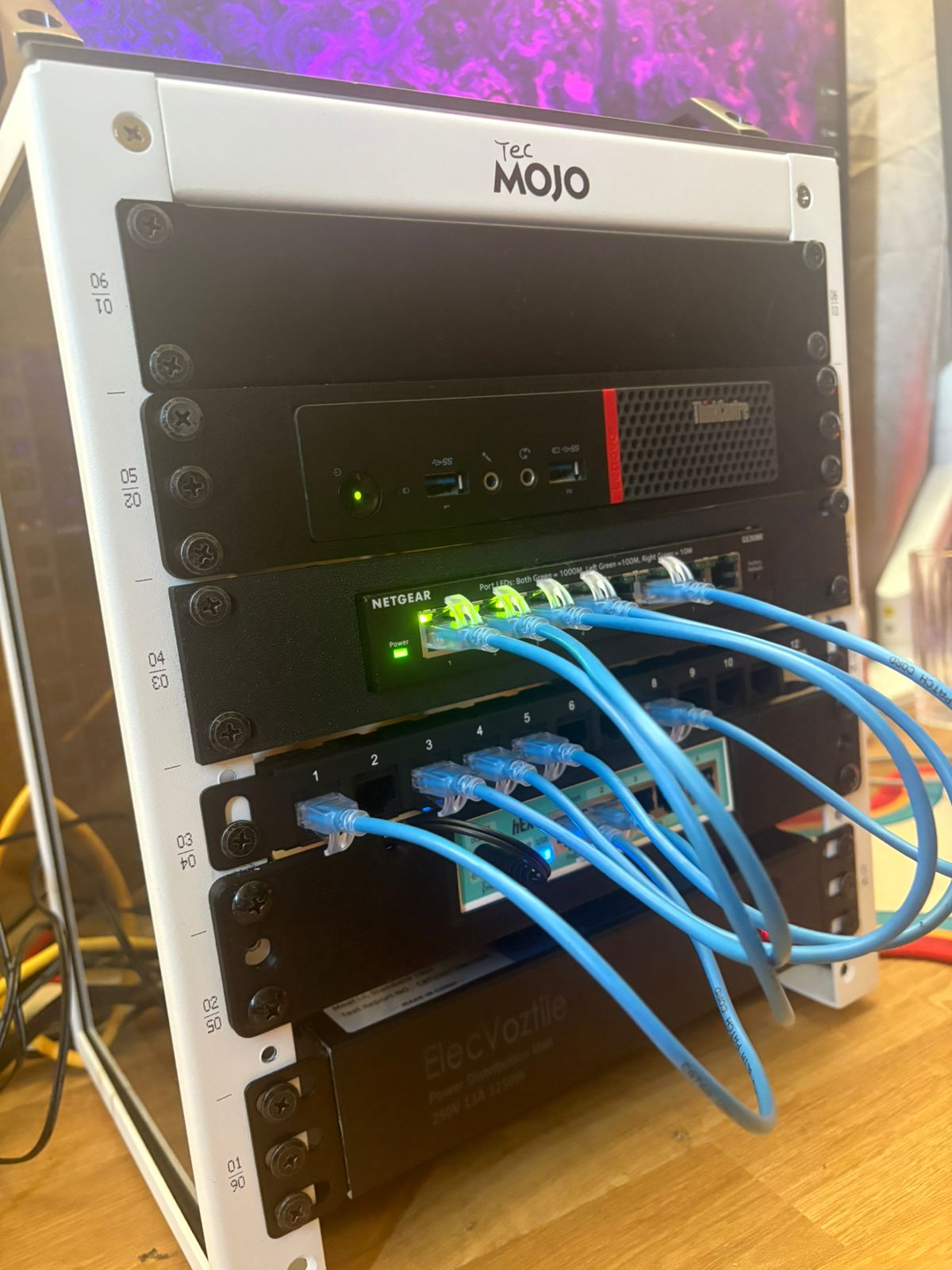
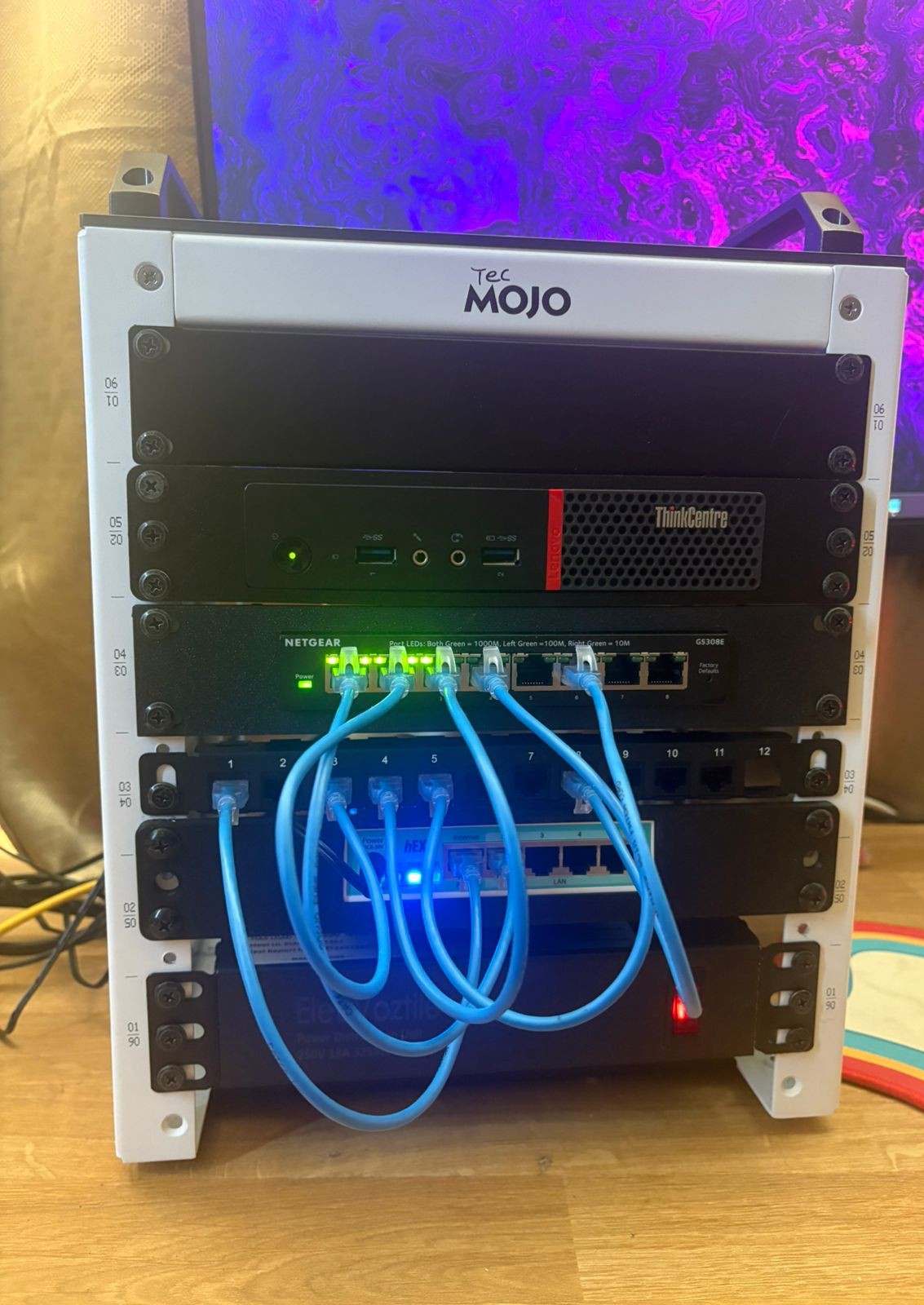
Do not judge the messy wiring. (¬_¬") Cable management is on the roadmap, right after I finish building overall.
What Comes Next
This post documents the architecture as designed, not as deployed. The next posts will cover the actual build, OPNsense deployment, VLAN configuration, Wazuh stack setup, and the first end-to-end attack scenario.
The architecture will probably change as I build it. When it does, I will document why. That is kind of the point.
If you made it this far, THANK YOU. This is the first post on a site I have been meaning to start for a while. More coming soon.
Thanks for your time. ♡
ER